Team Boards32-team live control for full-team breaks.
MEMBERS ONLY
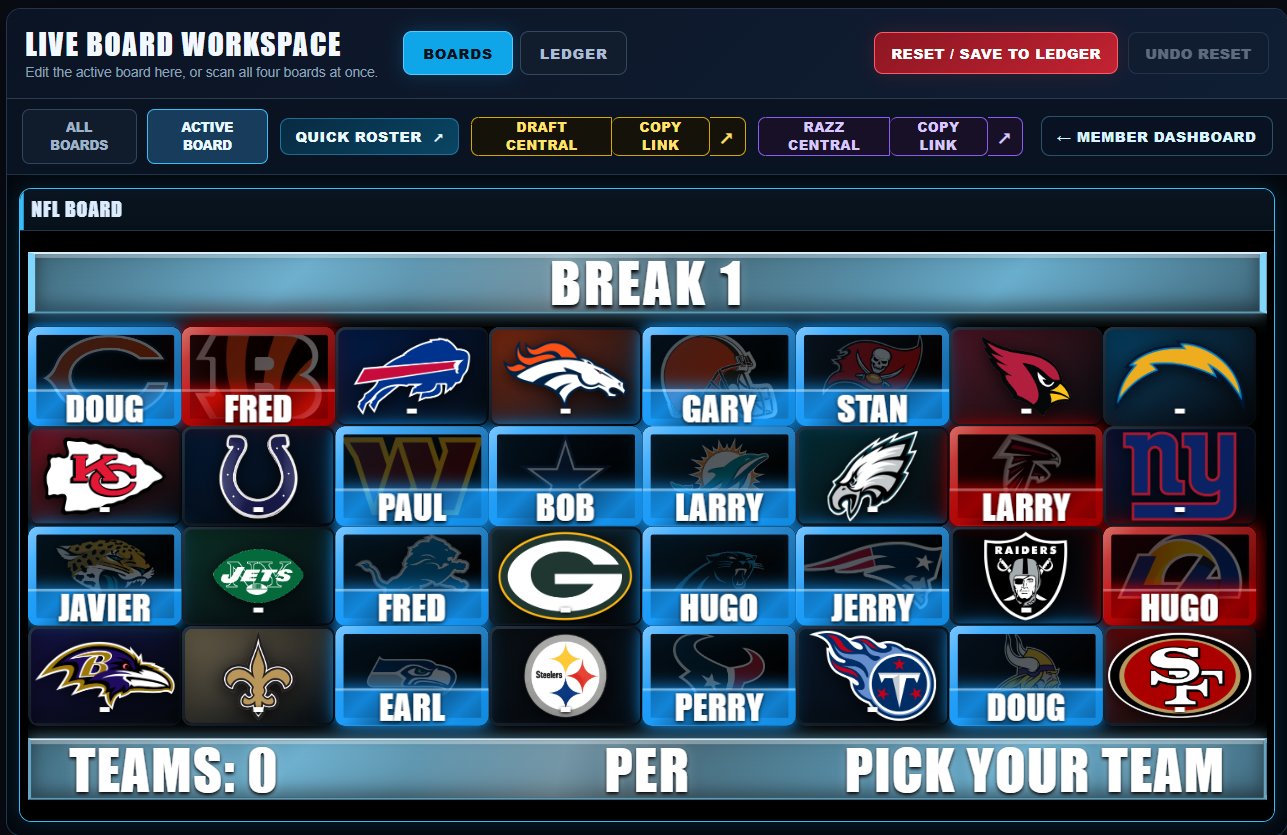
Visual status at a glance. Reserved, Paid, Filler and Hit treatments keep the board readable while the break moves.
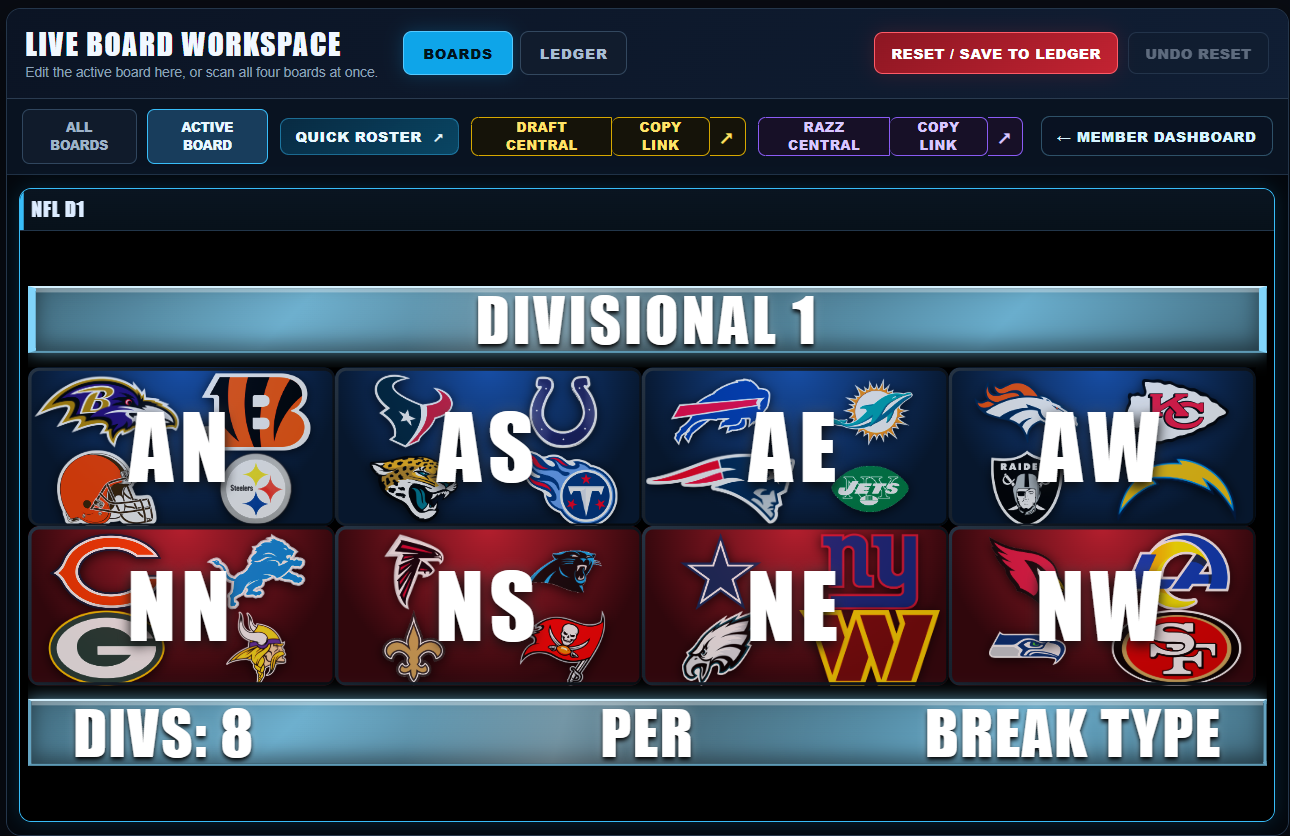
BreakDome keeps team availability, buyers, fillers, hits and divisional action visible in one fast live workflow — built for the pace of a live break.
See the live presentation your viewers see. Member boards are operated from the Break Manager workspace and update instantly in the streaming workflow.
BreakDome is a break-management workspace first. Use it to organize buyers, team availability, fillers, drafts, hits and break records even if you never put a board on-screen. When you do want viewer-facing graphics, dedicated live sources are already built into the same workflow.
Set or shuffle the draft order, track who's on the clock and who's next, then assign teams as they're selected. Secure, unbiased randomization uses cryptographically secure randomness with an unbiased Fisher–Yates shuffle. Use the viewer-facing Draft Board when you want it—or keep Draft Central in the operator workspace.
Manage Main, Mini, Micro and Nano fillers, Side Pot entries, winners and race results from one place instead of juggling separate notes, messages and lists.
Keep fast team and division references close to the operator workspace so you can answer the question and keep moving without crowding the viewer-facing presentation.
Turn buyer names from the active board into a dedicated scrolling livestream source. Don't need a marquee on the broadcast? Your buyer information still stays organized inside Break Manager.
Connect TikTok Shop to BreakDome so eligible Shop orders can flow into your break workflow without making you manually retype every buyer and spot. Surprise Sets support automatic or manual claims across 18 team and division board destinations.
Connect TikTok Shop Surprise Sets to BreakDome and route winning teams or divisions to your selected board. Choose Auto Claim for automatic assignment or Manual Accept when you want control. Supports 18 board destinations across NFL, MLB, NBA, NHL, and College Football.
Review incoming Shop claims in Manual Accept mode, or use Auto Claim for products and SKUs you have deliberately mapped and routed.
Map TikTok SKUs to teams or divisions and assign Product Routes so BreakDome knows which board each product belongs to.
When you manually assign a mapped spot, BreakDome can take that TikTok Shop SKU out of sale so the same spot is not sold again.
BreakDome surfaces cancelled Shop orders for review while leaving the board unchanged until you decide what to release or change.
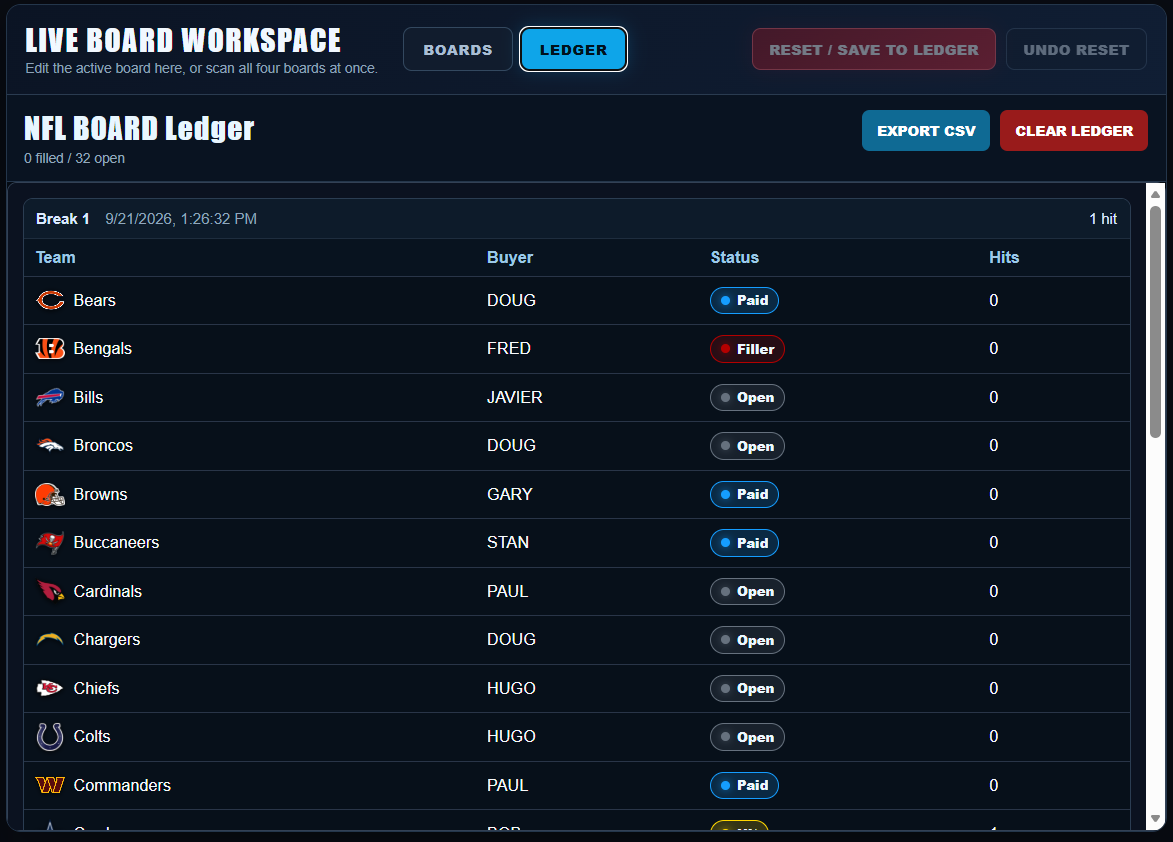
The break does not disappear when the board resets. Save buyer assignments, statuses and hits, then export the record to CSV—useful whether you broadcast your boards or simply use BreakDome to run the break.
Review completed breaks with the buyer, status and hit history still attached. Export CSV when you want the record outside BreakDome.
Everything you need to run a live break from one control center—with or without on-screen broadcast boards.
Run NFL, MLB, NBA, NHL and College Football breaks from the same BreakDome workspace.
Manage team boards, divisional boards and buyer status without losing sight of the active break.
Dedicated live sources stay synced for TikTok LIVE Studio, OBS and other compatible broadcast software.
Draft Central, Razz Central, Quick Roster and Buyer Marquee keep the rest of the break moving.
Archive completed breaks and retain a practical record of buyer assignments and results.
Control board accents, headers, footers, buyer bars, team art and animated backgrounds from the member workspace.
BreakDome is designed around the actual rhythm of a live break instead of forcing a production workflow into a generic scoreboard.
Work from the active Team or Divisional board while keeping the rest available in the same control center.
Find the team or division, enter the buyer, and apply Paid, Filler or Hit as the break develops.
Your viewer-facing board stays synced with the operator workspace so the presentation reflects the break in real time.
Every new account starts with 14 days of full BreakDome Pro access. Choose the plan you want to continue with after the trial.
The essentials about the trial, billing, live boards and production setup.
You get full BreakDome Pro access, including the Break Manager and your member-specific live board sources. No credit card is required.
Your trial simply ends and access pauses. Choose Razz at $14.99/month, Core at $19.99/month, or Pro at $29.99/month to continue. Billing and subscription management are handled securely through Stripe.
No. No card is required for the free trial, so there is nothing to cancel. If you subscribe during the trial, you can manage or cancel that subscription through Stripe.
Your dashboard provides dedicated browser-source URLs for Team 1, Team 2, Divisional 1 and Divisional 2. Add the sources you use to TikTok LIVE Studio or OBS.
The public site and account pages are mobile friendly, but the Break Manager is intentionally designed for desktop or large-screen production.
No. Your workspace and board state are isolated to your member account, and your live board source URLs are generated specifically for your workspace.
BreakDome mobile is the showroom. The Break Manager is the control room.